Material Node(Constant)
Overview
Node list
Constant1,2,3,4
Outputs the value specified in the property.
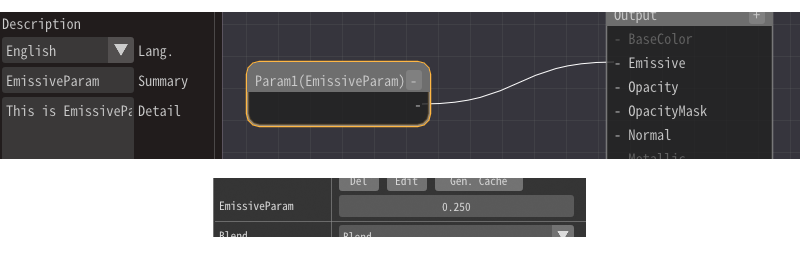
Parameter1,2,3,4
Outputs externally specified parameters. This parameter is common for each node. The summary and details specified in the parameters are displayed in Effekseer and external tools.
The parameters can be specified from Basic Render Settings in Effekseer.
By right-clicking on the Effekseer input field and pressing Reset, you can enter the value specified in the Mateiral.
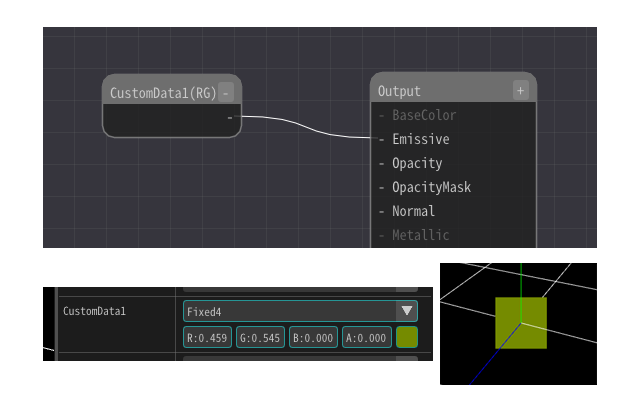
CustomData1, CustomData2
Outputs externally specified parameters. This parameter can be set differently for each particle. The summary and details specified in the parameters are displayed in Effekseer and external tools.
The parameters can be specified from Basic Render Settings in Effekseer. For example, you can enter random or F-curve values to achieve more complex materials.
By right-clicking on the Effekseer input field and pressing Reset, you can enter the value specified in the Mateiral.
Time
Outputs the current time in seconds.
LocalTime
Outputs the time in seconds since the effect was generated.
ParticleTime
Outputs each particle's normalized lifetime progress and elapsed seconds. Since each particle can have different values, this is useful for per-particle animation control.
CameraPosition
Outputs the camera position.
EffectScale
Gets the scale specified when the effect file is loaded