Position
Overview
Provides parameters that control the node's position over time, partiuarly concerning the position relative to the parent particle.
Parameter
Position
Specifies the spawn position of the particle. This will influence the position of the particle relative to its parent particle. If there is no parent particle, or position is set to not inherit in the Basic Settings window, this will specify the absolute position instead.
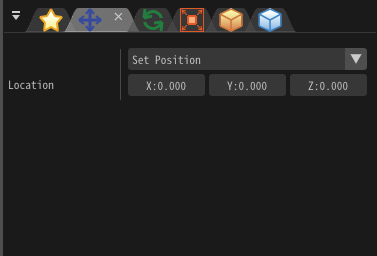
"Position" window
Set Position
Place the particles at a fixed position.
Position, Velocity, Acceleration (PVA)
Specify the position, velocity and acceleration of the particle.
Easing
Specify the spawn and despawn positions, and the method of interpolating between these two positions over the lifetime of the particle.
F-Curve
Use the F-Curve window to control the position by defining automation curves.
NURBS-Curve
Import the 3D data of the curve created by other software such as Maya, and move the particles along it.
ViewOffset
Always display particles in the center of the camera. Only available for sprites and models. The location of effect doesn't affect to children.