Profiler
Overview
The Profiler is a tool for checking the load of effects being played in Effekseer. It visualizes total CPU and GPU load for the system, as well as playback counts and GPU load for each effect.
How to use
Editor tab
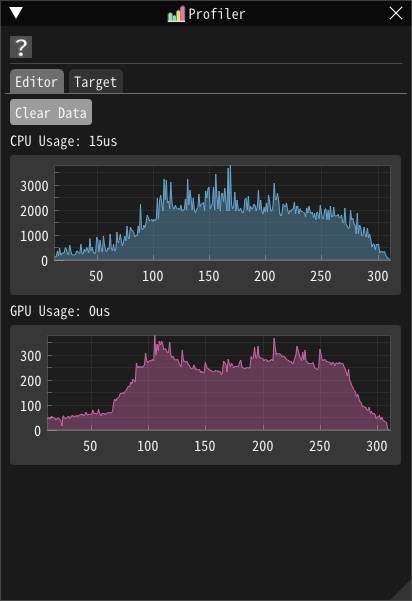
Displays CPU and GPU load for effects running in the Editor in real time as line graphs.
Press the
Clear Databutton to clear the recorded data.
Target tab
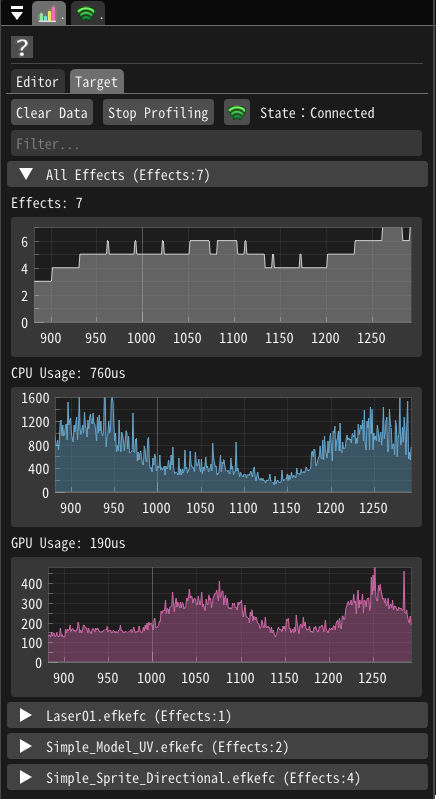
Displays CPU and GPU load for effects running in games or applications, as well as playback counts and GPU load for each effect, in real time as line graphs.
Use this function as follows:
Configure the Network panel and connect to the target.
Return to the Profiler panel and confirm that the status is
Connected.Press the
Start Profilebutton.