Render - Track
Overview
Here we explain the parameters that affect the drawing when "Track" is selected in the Render window.
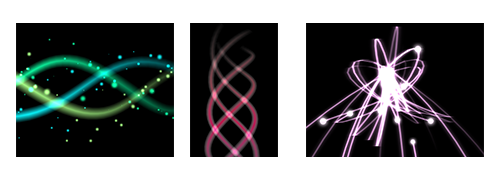
When "Track" is selected, effects are drawn along a continuous track.
The track is drawn by connecting a thick line between all the children of a certain particle instead of drawing each particle individually. For example, if particles 1, 2, and 3 are the children of particle 0, a shape is generated with a track drawn between 1, 2, and 3. The track is shaped by "connecting the dots" between each particle. Unlike the ribbon, which is influenced by the rotation and enlargement of the particle, the track is not influenced by them and always faces the camera.
Parameters
"Render Settings" window
UV Type
Specifies how UVs are arranged and repeated.
Strech
It uses one image for the entire track. It is suitable for particles with a long length, such as a laser.
Tile
Repeats the image based on the track length. This is suitable for expressions with repeating patterns, such as chains.
You can specify the repetition interval with Tile Length.
Tile (By Particle)
Repeats the image for each particle segment. This is suitable for expressions with repeating patterns, such as chains. You can also configure it so that the edges are not repeated, or so that only the specified loop region is repeated.
Smoothing
Smooth or set even on a sharply bent part, etc.
Source of color time
When using time to obtain UVs and colors, select from which element to obtain the time.
Group
Use the time survived by the entire particle of the track.
First particle
Uses the first particle time. Left mainly for compatibility with past versions.
The number of spline division
This parameter makes the shape smooth by dividing the track finely. It looks beautiful, although processing becomes heavier.
Division : 1 | Division : 8 |
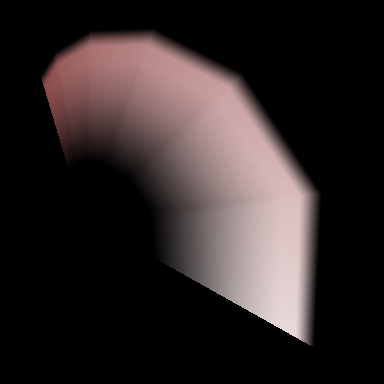 | 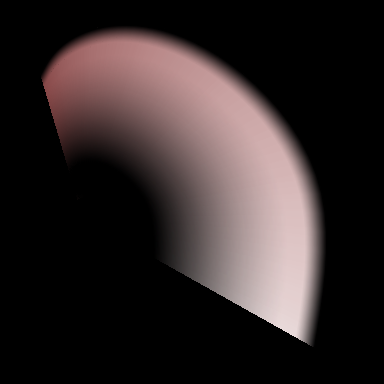 |
Front Size
Specify the width of the front of the track.
Middle Size
Specify the width of the middle of the track.
Back Size
Specify the width behind the track.
Color, Left
Specify the color of the left front and left rear of the track.
Color, Left-Center
Specify the color of the left middle of the track.
Color, Center
Specify the color in front of the middle of the track and the rear in the center.
Color, Center-Middle
Specify the middle middle color of the track.
Color, Right
Specify the color to the front right and back right of the track.
Color, Right-Center
Specify the color of the right middle of the track.